
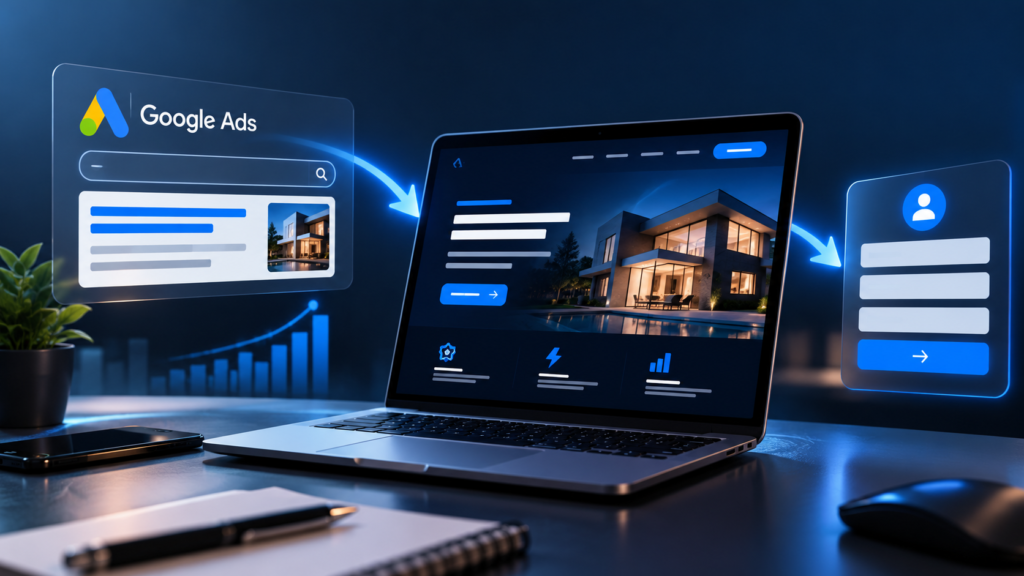
Some days you check your Google Ads dashboard and just feel stuck. The clicks are coming in, the budget is going out, and the leads aren’t showing up. We’ve all been there, and it’s frustrating.
Here’s the honest truth. The problem often isn’t your ads. It’s where those ads send people. Strong google ads management and custom landing pages work as a team. When one is missing, the whole campaign struggles.
In this guide, you’ll learn why high intent searchers need a page built just for them. We’ll keep it simple and practical. This post is for business owners, marketers, and anyone paying for clicks who wants more from every dollar.
Here’s a quick preview of what we’ll cover:
- What high intent traffic is and why it’s so valuable
- How dedicated pages lift your conversion rate and Quality Score
- A simple step-by-step way to build pages that convert
- Real examples of what this looks like in practice
- Common mistakes to avoid, plus easy fixes
Let’s dig in.
What High Intent Google Ads Traffic Really Means
Not every click is the same. Some people are just browsing. Others are ready to buy, book, or call today. That second group is what we mean by intent-based traffic.
The Difference Between Browsing and Buying
Think about two searches. One person types “what is a roof inspection.” Another types “emergency roof repair near me.” The first person is curious. The second person needs help right now.
Paid search lets you target that second person directly. However, if they land on a general homepage, they have to hunt for answers. Most won’t bother. They’ll just hit the back button and click a competitor.
Why Generic Pages Let High Intent Visitors Down
Your homepage tries to speak to everyone. That’s its job. But a high intent visitor doesn’t want everything. They want one clear answer to one clear need.
Here’s what often happens on a generic page:
- The headline doesn’t match what they searched
- They can’t find pricing, a phone number, or a form quickly
- There are too many links pulling them in different directions
- The page loads slowly because it’s packed with content
Quick summary: High intent visitors are ready to act. A generic page makes them work too hard, so you lose them.
Why Google Ads Management and Custom Landing Pages Belong Together
This isn’t about building fancy pages for the sake of it. It’s about giving people exactly what they clicked for. That’s why smart google ads management and custom landing pages should always be planned together, not separately.
When you plan them together, your ad, keyword, and page all tell the same story. That consistency is called message match. And message match is where a lot of the magic happens.
Message Match Builds Instant Trust
Message match means your landing page echoes your ad. If your ad says “Same-Day AC Repair in Dallas,” your page headline should say almost the same thing. Visitors feel reassured right away. They know they’re in the right place.
For example, imagine a dental clinic running ads for “Invisalign consultations.” The ad promises a free consult. The custom page opens with “Book Your Free Invisalign Consultation.” There’s a short form, a few reviews, and a clear button. Simple. Easy. And it works.
A Strong Foundation for Your Growth Strategy
Dedicated pages also make it easier to scale. A solid meta and google ads growth strategy often uses the same landing pages across both platforms. That way, you can test offers on social and search at once.
You’ll quickly see which message lands best with your audience. Then you can double down on what’s working.
Quick summary: Planning ads and pages together creates message match, builds trust, and gives you a base to grow from.
How Dedicated Landing Pages Improve Conversion Rates, Quality Score, and Measurement
Now let’s get into the “why” behind the results. Dedicated pages help in three big ways. They lift your conversion rate, improve your Quality Score, and make campaign measurement much clearer.
1. Higher Conversion Rates
A focused page has one goal. That might be a call, a form, or a booking. When there’s just one action to take, more people take it.
Here’s what usually helps conversion rate optimization (CRO) on a custom page:
- One clear headline that matches the search
- A short, simple form with only the fields you need
- Trust signals like reviews, badges, or guarantees
- A single, obvious call-to-action button
- Fast load times on mobile
For instance, a local law firm might cut its form from nine fields to four. That small change alone can bring in noticeably more leads. People just don’t want to fill out long forms on their phones.
2. Better Quality Score and Ad Relevance
Google rewards relevance. Your Quality Score depends on expected click-through rate, ad relevance, and landing page experience. You can read more in Google’s official guide to Quality Score.
When your page closely matches the keyword and ad, Google sees a better landing page experience. A higher Quality Score can mean lower costs per click and better ad positions. In other words, you pay less to show up higher.
This is one of the simplest ways to lower customer acquisition cost with PPC. You’re not spending more. You’re just spending smarter.
3. Clearer Campaign Measurement
Generic pages make tracking messy. Visitors from five different campaigns land in the same place. It’s hard to tell which ad actually drove the lead.
Dedicated pages fix that. Each campaign gets its own page, so your conversion tracking stays clean. You’ll know your true cost per lead for every service, offer, or location.
Here’s a quick example. A home services company runs separate pages for plumbing, heating, and cooling. After a month, they see that heating leads cost half as much. Now they know exactly where to shift their budget.
Quick summary: Dedicated pages convert better, earn stronger Quality Scores, and make it easy to see what’s really working.
A Simple Step-by-Step Way to Build High Converting Landing Pages
You don’t need a huge team to get this right. You just need a clear process. Here’s the one we like to keep in our back pocket.
Step 1: Group Your Keywords by Intent
Start by sorting keywords into tight groups. Each group should share one clear need. For example, “emergency plumber” and “24 hour plumber” belong together. “Bathroom remodel cost” belongs somewhere else.
Each group gets its own ad set and its own landing page. This keeps your ad relevance high from the start.
Step 2: Write a Headline That Mirrors the Search
Your headline is the first thing people read. Make it match the keyword and the ad as closely as you can. Keep it short and specific.
Then add a supporting line that explains the benefit. For example: “Fast, Licensed Plumbers in Austin. We’re at Your Door in 60 Minutes.”
Step 3: Keep the Page Focused
Remove anything that pulls attention away from your main goal. That usually means:
- Hiding the main site navigation
- Using one call-to-action, repeated a few times
- Keeping copy short and easy to scan
- Adding just enough proof to build trust
Step 4: Set Up Conversion Tracking Before Launch
Don’t wait until later. Set up tracking for forms, calls, and bookings before your ads go live. That way, every lead counts from day one.
Step 5: Test, Learn, and Adjust
Run simple A/B tests. Try a new headline, a shorter form, or a different button color. Change one thing at a time so you know what made the difference.
If you’d like help with this process, our team offers Google Ads management and custom landing pages (placeholder link: update to your Google Ads services page). We also cover the testing side through our conversion rate optimization services (placeholder link: update to your CRO services page).
Quick summary: Group keywords, mirror the search, stay focused, track everything, and keep testing.
Real World Examples of Dedicated Landing Pages in Action
Sometimes it just helps to see how this plays out. Here are a few everyday scenarios.
Example 1: A Local HVAC Company
Before, every ad pointed to the homepage. Visitors had to scroll and click around to request service. After switching to separate pages for “AC repair” and “furnace repair,” the business saw more calls. Their cost per lead dropped because the right people found the right page fast.
Example 2: An Online Course Creator
This creator ran ads for a beginner course. At first, the ads linked to a page listing every course they offered. Then they built one simple page for the beginner course only. It featured a short video, three benefits, and a clear sign-up button. Sign-ups went up, and ad costs went down.
Example 3: A B2B Software Company
This company targeted the keyword “project management software for agencies.” They created a page that spoke only to agencies. It used agency examples, agency pricing, and agency testimonials. Lead generation improved because visitors felt the product was made for them.
Quick summary: Whether you’re local, online, or B2B, dedicated pages help people find what they came for.
Common Mistakes to Avoid With Google Ads Landing Pages
Even good campaigns can slip up. Here are the mistakes we see most often, plus simple ways to fix them.
Sending All Traffic to the Homepage
Before commissioning another page, use our landing page versus homepage comparison to assess whether an existing destination already fits the campaign. Plan what happens after the enquiry with our email lead-nurturing guide.
This is the big one. Your homepage isn’t built for one specific search.
Fix: Create a dedicated page for each main service or offer. Start with your top two or three campaigns if time is tight.
Ignoring Mobile Visitors
Most paid search clicks happen on phones. A page that looks great on desktop can feel clunky on mobile.
Fix: Test every page on your own phone. Make buttons big, forms short, and text easy to read.
Asking for Too Much Too Soon
Long forms scare people off. They just want a quick answer or a fast quote.
Fix: Ask only for what you truly need. Name, phone, and email are often enough to start.
Forgetting About Page Speed
Slow pages lose visitors in seconds. They also hurt your landing page experience score.
Fix: Compress images, limit scripts, and use reliable hosting. Aim for a page that loads in under three seconds.
Skipping Conversion Tracking
Without tracking, you’re guessing. You can’t improve what you can’t measure.
Fix: Set up tracking for every form, call, and booking. Check it weekly to make sure it’s still working.
Mismatched Messaging
Your ad promises one thing, and your page talks about another. Visitors feel confused and leave.
Fix: Read your ad and page side by side. If they don’t sound like the same conversation, rewrite the headline.
Quick summary: Most landing page problems are easy to fix once you spot them. Focus, speed, and clear messaging go a long way.
Why Working With a High ROI Digital Advertising Agency Helps
Let’s be honest. Running ads, building pages, and tracking results takes time. Many business owners just don’t have hours to spare each week.
That’s where a high ROI digital advertising agency can help. The right partner handles the strategy, the pages, and the testing together. You get one team that sees the full picture, instead of piecing it together yourself.
A good agency will also connect your channels. A thoughtful google and meta ads growth strategy lets search and social support each other. Meanwhile, shared landing pages keep your message consistent everywhere.
The goal is simple. You want to lower customer acquisition cost with PPC while bringing in better leads. When ads and pages work as one, that goal feels a lot more reachable.
Let’s Make Your Ad Spend Work Harder
You’ve put real money into your campaigns. You deserve to see real results from them. Dedicated landing pages are one of the most practical ways to get there.
At The City of Code, we build Google Ads campaigns and custom landing pages that actually fit together. We keep things simple, track everything clearly, and focus on what brings in leads. As a high ROI digital advertising agency, we care about your results, not vanity metrics.
Contact our team today to talk about your campaigns. We’ll take an honest look at what’s working, what isn’t, and what to try next.
Conclusion
High intent searchers know what they want. Your job is just to make it easy for them to get it. A dedicated landing page does exactly that.
Here’s what to remember:
- Match your page to the keyword and ad for strong message match
- Keep each page focused on one clear action
- Use dedicated pages to lift conversion rates and Quality Score
- Track every conversion so you know your true cost per lead
- Avoid common mistakes like slow pages and long forms
Your next step is easy. Pick your top-spending campaign today. Then ask yourself one question: does the landing page match what people searched? If not, that’s the perfect place to start.
Frequently Asked Questions
Why shouldn’t I send Google Ads traffic to my homepage?
Your homepage speaks to everyone, so it rarely matches one specific search. High intent visitors want a quick, clear answer. A dedicated page gives them that, which usually leads to more conversions and lower costs.
How do custom landing pages improve Quality Score?
Google looks at ad relevance and landing page experience when scoring your ads. A page that closely matches your keyword and ad feels more relevant. That can raise your Quality Score and lower your cost per click.
How many landing pages does a Google Ads campaign need?
There’s no fixed number. A good rule is one page per main service, offer, or keyword group. Start with your highest-spending campaigns, then add more pages as you grow.
Can I use the same landing pages for Meta and Google Ads?
Yes, and it’s often a smart move. Shared pages keep your message consistent across platforms. Just make sure tracking is set up so you can see which channel drives each lead.
How long does it take to see results from new landing pages?
Many businesses notice changes within two to four weeks. It depends on your traffic volume and budget. Keep testing during that time so you can improve steadily.